
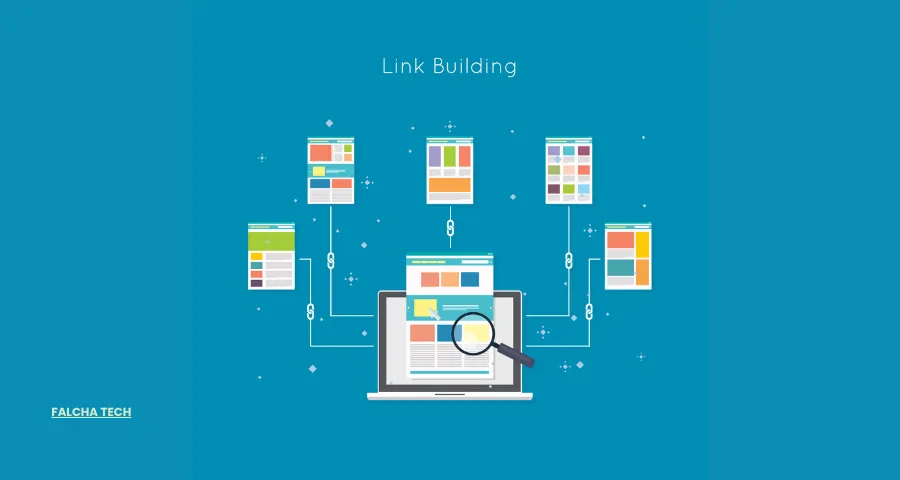
Most SEO conversations revolve around backlinks who’s linking to you, how authoritative they are, how many you need. Internal linking rarely gets the same attention, even though it’s one of the few SEO levers you fully control. You don’t need to earn internal links, pitch anyone, or wait for someone else to publish something. You just need a deliberate strategy.
Internal linking is the practice of connecting one page on your website to another page on the same domain. Done well, it affects how easily search engines discover your content, how clearly they understand your site’s structure, how authority moves between your pages, and how easily visitors find what they’re looking for.
None of this means internal linking alone will get you to page one. It won’t. But it removes friction that can quietly hold back pages that would otherwise perform well — orphaned service pages, buried guides, new content that takes months to get crawled. This guide covers what internal links are, why they matter, how Google uses them, and a practical process for auditing and building an internal linking strategy that actually holds up over time.
What Are Internal Links?
An internal link is a hyperlink that points from one page to another page on the same website or domain. If your blog post about “technical SEO” links to your “SEO audit services” page on the same domain, that’s an internal link.
A simple example: your homepage has a navigation menu with a link to your “Services” page. Someone reading your Services page clicks a link inside the text that takes them to a related case study on your own site. Both are internal links , they never leave your domain.
An external link, by contrast, points to a different domain entirely. Linking out to a government statistics page, a research study, or a partner’s website is an external link. The two serve different purposes: internal links organize and connect your own content; external links reference or credit sources outside your site.
Internal Links vs External Links
| Internal Links | Internal Links |
| Point to pages on your website | Point to another website |
| Help site navigation | Provide external references |
| Connect related content | Connect your site to other domains |
| Help distribute internal link equity | Can support credibility and relevance |
Why Are Internal Links Important for SEO?
Internal links aren’t a single-purpose tool. They influence several distinct parts of how your site performs ,discovery, structure, authority, and user experience all overlap here, and it’s worth understanding each on its own terms rather than treating internal linking as one generic “best practice.”
Help Search Engines Discover Pages
Googlebot finds new pages primarily by following crawlable links — from your homepage, from other indexed pages, from your sitemap. A page with no internal links pointing to it is much harder for search engines to find, no matter how good the content is. Internal links act as the paths Googlebot follows to expose both new and existing pages.
Help Google Understand Your Site Structure
Internal links tell Google how your pages relate to each other. When a broad topic page links out to several specific subtopic pages, that pattern signals a hierarchy ,this is the main topic, these are its supporting details. Over time, that structure helps Google form a clearer picture of what your site covers and how deeply.
Distribute Internal Link Equity
Search engines use link-based signals, commonly discussed under the umbrella of PageRank, to help assess the relative importance of pages. Internal links are one way this signal moves through a site. A page that has accumulated strong backlinks or organic authority can pass some of that value to other pages it links to, which is useful when you have an important page that hasn’t built up much authority of its own yet. This isn’t a precise or guaranteed transfer of value; it’s a directional signal, not a fixed formula.
Strengthen Topical Relevance
Linking related articles and service pages together reinforces that they belong to the same subject area. A cluster of connected content about a topic tends to be read to both users and search engines — as a more complete, more authoritative treatment of that subject than the same pages sitting in isolation.
Improve User Navigation
Internal links aren’t only for search engines. They help real visitors move from one relevant piece of information to the next ,often from an informational article toward a related commercial page, at the point where that transition feels natural rather than forced.
How Google Uses Internal Links
It helps to separate what internal links actually do from what they’re sometimes assumed to do. Google doesn’t treat internal linking as a ranking factor you can manipulate your way to the top with, but it does rely on internal links for several concrete systems.
Crawling and Discovery
Googlebot discovers URLs largely by following links it can crawl ,standard <a href> links, not links generated in ways that hide them from crawlers. This is why making your most important pages easily reachable through normal navigation and contextual links matters more than most sites realize.
Understanding Page Relationships
Google builds an understanding of a page partly from its anchor text, the content surrounding a link, which pages link to it, and where it sits in the overall site hierarchy. These signals combine to help Google place a page within the broader context of your site.
PageRank and Link Equity
PageRank, at a high level, is a way of estimating a page’s relative importance based on the links pointing to it. Internal links are one mechanism for distributing this kind of importance across a site — directing it toward pages you consider priorities. It’s worth being precise here: not every link passes an equal or guaranteed amount of authority, and internal linking shouldn’t be treated as a way to artificially inflate a page’s importance.
Types of Internal Links
Internal links aren’t all the same, and treating them as interchangeable is a common gap in a lot of internal linking advice. Different types serve different structural roles.
Navigational Links
These are the links in your main navigation menu and category navigation ,the structural skeleton that lets users (and crawlers) move between the major sections of your site.
Contextual Links
These are links placed within body content inside a blog post, inside a service page ,pointing to another relevant page. A blog post about “on-page SEO” linking to a related guide on “technical SEO” mid-paragraph is a contextual link. These tend to carry the strongest topical relevance signal because they sit inside relevant surrounding text.
Breadcrumb Links
Breadcrumbs show a page’s position within the site hierarchy, typically formatted as Home → Category → Page. They reinforce structure for both users and search engines.
Footer and Sidebar Links
Footer and sidebar links have appropriate use cases linking to core pages, policies, or evergreen resources — but excessive sitewide linking from every footer to every page dilutes their value and can look manipulative rather than helpful.
Image Links
Images can also function as internal links, and when they do, descriptive alt text becomes important, it gives both users and search engines context for what the linked page contains.
CTA Internal Links
A call-to-action link — for example, a blog post ending with a link to a related service page is useful specifically at the point where a reader has built enough context to be ready for the next step, rather than being dropped in arbitrarily.

How to Build an Effective Internal Linking Strategy
This is the part that matters most in practice. A strategy, not a checklist you apply once.
Start With Your Site Architecture
Before linking individual pages, look at the shape of your site as a whole. Identify your major categories, make sure important pages are reachable within a few clicks from the homepage, and avoid burying key content under unnecessarily deep folder structures. A page that takes six clicks to reach from the homepage is harder for both users and crawlers to find and prioritize.
Identify Your Pillar Pages
Pillar pages are your core services, main category pages, or comprehensive guides, the pages you want to rank for competitive, high-value terms. These should sit near the top of your site’s structure and receive links from many supporting pages.
Build Topic Clusters
A topic cluster connects a pillar page to a set of supporting articles that go deeper into subtopics, with links flowing in both directions: pillar page → supporting articles → related supporting articles → back to the pillar page. This structure signals topical depth and keeps related content easy to find.
Use a Hub-and-Spoke Structure
Closely related to topic clusters, a hub-and-spoke model treats one page as the hub a broad topic and connects it to several “spoke” pages covering specific subtopics. Spokes link back to the hub, and where it makes sense, spokes link to each other too, as long as the connection is genuinely relevant rather than forced.
Link From High-Authority Pages
Find pages on your site that already receive strong backlinks or traffic, and look for opportunities to add relevant contextual links from those pages to ones that need more visibility. The key constraint here is relevance — don’t force a link onto an authoritative page simply because it has authority to spare.
Support New Content With Existing Content
When you publish something new, don’t leave it to be discovered passively. Find relevant existing pages, add contextual links to the new page from them, link back from the new page to related existing content, and monitor how it gets crawled and indexed afterward.
Internal Linking Anchor Text Best Practices
Use Descriptive Anchor Text
Anchor text should tell users what they’ll find if they click “read our technical SEO guide” rather than a bare “click here.” Descriptive anchors help both readability and search engines’ understanding of the destination page.
Vary Your Anchor Text
Using the exact same phrase every time you link to a page looks unnatural. If you’re regularly linking to a technical SEO page, vary the phrasing across mentions “technical SEO,” “our technical SEO guide,” “technical SEO services,” “improving technical SEO” rather than repeating one exact phrase everywhere.
Avoid Exact-Match Anchor Overuse
Repeating the same keyword-rich anchor text across many links to the same page can look manipulative rather than natural. Prioritize language that reads the way a person would actually write it.
Keep Anchor Text Relevant
Whatever the anchor text says, it should accurately represent what the destination page actually contains. Misleading anchor text creates a bad user experience and can undercut the trust signals you’re trying to build.
Where Should You Place Internal Links?
Within Relevant Body Content
Contextual placement — inside a paragraph, at the moment a related topic comes up tends to be the most useful and natural place for a link, because it appears exactly when it’s relevant to what the reader is already thinking about.
Near Relevant Information
Place a link where it helps answer the question a reader is likely to have next, rather than where it’s simply convenient to insert.
Important Links Should Not Be Buried
Don’t make a critical page dependent solely on a single link buried at the very bottom of a long article. If a page matters, give it more than one reasonable path to be found.
Use Navigation and Breadcrumbs for Site Structure
Navigational links and breadcrumbs play a different role than contextual links, they support the sitewide structure rather than a specific piece of content and both are worth using deliberately rather than relying on one to do the job of the other.
How Many Internal Links Should a Page Have?
There is no fixed number of internal links that every page should have.
The right number depends on several factors: content length, topic complexity, how many genuinely related pages exist, the overall user experience, and the purpose of the page itself. Rather than treating any number as a rule Google enforces, it’s more useful to think in terms of practical guidelines:
- Short blog post — a handful of relevant contextual links, where they naturally fit.
- Long-form guide — more links, wherever they’re genuinely useful to the reader.
- Service page — links to relevant supporting resources or related services.
- Homepage — links to your priority sections and most important pages.
Quality Over Quantity
Don’t add links just to hit a target number. Excessive linking dilutes the value of each individual link and can overwhelm readers. Prioritize sending links to destinations that are genuinely useful.
How to Find Internal Linking Opportunities
A few practical approaches, used together, cover most of what you need:
Use Google Search Console. The Links report shows which pages receive few internal links and gives you a picture of your current internal linking patterns.
Use a crawler like Screaming Frog. A site crawl surfaces inlinks, outlinks, orphan pages, broken links, redirects, and crawl depth for every page on your site the raw data an internal linking audit is built on.
Review your content manually. Read through your high-performing articles, identify places where a mention of another topic could reasonably become a link, and add links where they genuinely help the reader ,not just where a keyword happens to appear.

Internal Linking Problems You Should Fix
Orphan Pages
An orphan page has no internal links pointing to it at all — it exists on your site but is effectively invisible to anyone navigating it normally, and harder for crawlers to find. For each orphan page, decide whether to link to it, consolidate it into another page, redirect it, or remove it.
Pages With Very Few Incoming Links
Important pages shouldn’t sit isolated with only one or two internal links pointing to them. Look for legitimate opportunities elsewhere on the site to link to them.
Broken Internal Links
Links pointing to 404 pages, deleted URLs, or simply incorrect URLs waste crawl activity and create dead ends for users.
Internal Links to Redirected URLs
If a link points to a URL that then redirects somewhere else, update it to point directly to the final destination instead.
Redirect Chains and Loops
A redirect chain where one redirect leads to another, which leads to another slows crawling and can dilute signal. Fix internal links so they point directly to the canonical destination.
Excessive Internal Links
Too many links on a single page can hurt usability and make it harder for users (and crawlers) to identify which links actually matter. Prioritize your most important and relevant destinations.
Nofollow Internal Links
There are legitimate cases for nofollow on internal links certain login or admin-only pages, for example — but blanket nofollow usage across internal links isn’t recommended, and outdated “PageRank sculpting” tactics from years past aren’t an effective strategy today.
Breadcrumbs and Internal Linking
Breadcrumbs display a page’s location within your site hierarchy, typically as a trail like:
Home → Services → SEO → Technical SEO
How Breadcrumbs Strengthen Site Structure Breadcrumbs reinforce hierarchy visually and structurally, making it clear how a given page relates to the categories above it.
BreadcrumbList Structured Data Adding BreadcrumbList schema markup allows search engines to understand and often display this hierarchy directly in search results.
Breadcrumbs for User Navigation Beyond SEO, breadcrumbs give users an easy way to move back up to a broader category without relying on the back button.
Contextual Links vs Navigational Links
| Contextual | Navigational |
| Within body content | Menus and navigation |
| Usually page-specific | Often sitewide |
| Strong topical context | Strong structural context |
| Supports content relationships | Supports site hierarchy |
Both types matter, and they aren’t substitutes for each other. Contextual links carry topical relevance; navigational links carry structural clarity. A site with only one or the other is missing half the picture.
Internal Linking Strategy for Different Website Types
Blogs benefit most from contextual links between related posts and links from posts into relevant category or pillar pages, keeping readers moving through a content cluster rather than dead-ending after one article.
Service businesses should focus internal links on connecting related services, linking supporting content (guides, FAQs) into the specific service pages they support, and making sure every service is reachable from more than one path.
E-commerce websites need internal linking between related products, category pages, and buying-guide content, with particular attention to avoiding orphaned product pages as catalogs grow and change.
Local businesses benefit from linking location-specific content to relevant service pages, without creating artificial links between locations that have no real connection to each other.
Nepali websites and websites targeting any specific regional market — often face an added challenge: thinner topical competition can make internal linking a more noticeable advantage, but it also means structure needs to be built deliberately rather than growing haphazardly as new pages get added over time.
Internal Linking Audit: Step-by-Step Process
A structured audit turns internal linking from guesswork into a repeatable process:
- Crawl the website using a tool such as Screaming Frog, Sitebulb, or Ahrefs.
- Find orphan pages — pages with no internal links pointing to them.
- Find pages with low inlink counts relative to their importance.
- Find broken internal links that return errors.
- Find internal links pointing to redirects instead of final destinations.
- Review crawl depth to spot important pages buried too deep in the structure.
- Review anchor text for variety, relevance, and overuse of exact-match phrases.
- Review link distribution to see whether authority is flowing to the pages that need it.
- Identify new linking opportunities across existing content.
- Re-crawl and monitor after changes to confirm they took effect as expected.
Internal Linking Best Practices Checklist
- Link important pages from relevant content
- Use descriptive anchor text
- Keep anchor text natural, not repetitive
- Link new content from existing, relevant pages
- Fix broken internal links
- Fix links pointing to redirects instead of final URLs
- Identify and resolve orphan pages
- Monitor crawl depth for important pages
- Use breadcrumbs consistently
- Build logical topic clusters
- Link from authoritative, relevant pages
- Avoid excessive internal links on a single page
- Review internal linking regularly, not just once