
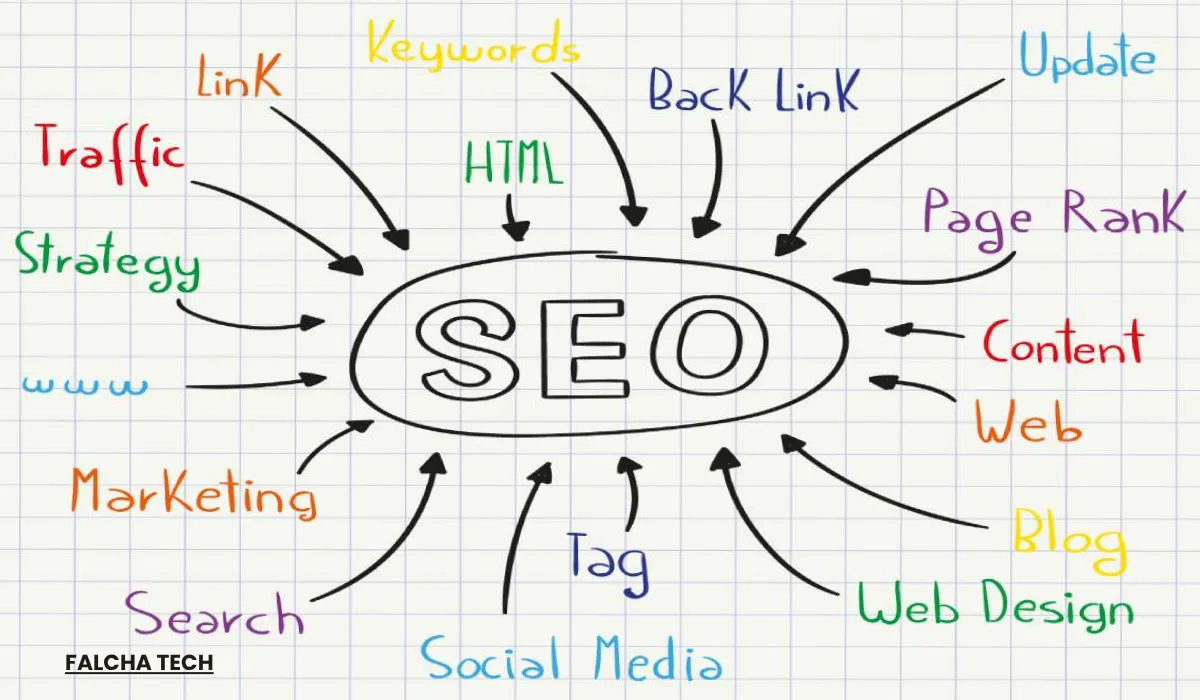
On-page SEO refers to the optimization of elements within a webpage to improve visibility in Google search results. These elements determine how search engines interpret the page and match it to user queries.
Pages often fail to rank because on-page optimization is missing, even when the content itself has merit. On-page SEO addresses this by refining the specific signals that search engines read to understand a page: body content, page structure (headings, URLs, internal links), and HTML elements (title tags, meta descriptions, image alt text).
This guide covers each on-page practice in sequence. Every section defines one element, explains its effect on rankings, and shows how to apply it. On-page SEO improvements typically produce higher search rankings and increased organic traffic.
What Is On-Page SEO?
On-page SEO is the practice of optimizing a single webpage to improve its visibility in search engines like Google. It focuses on making both the content and page elements, including headings, title tags, URLs, and internal links, more relevant and understandable for search engines and users.
The goal of on-page SEO is to help a page rank higher in search results for specific keywords while improving user experience and engagement. Search engines read on-page signals to interpret a page’s topic and quality. Without these signals, a search engine cannot accurately match the page to relevant queries, which limits ranking potential. On-page SEO directly shapes how Google understands and positions a page, which contributes to higher search rankings and organic traffic growth.
Why On-Page SEO Matters
On-page SEO matters because it directly influences how search engines understand, rank, and display a webpage in search results. When a page contains relevant content, targeted keywords, clear headings, and structured elements, Google matches it more accurately to user search queries.
Strong on-page SEO produces three measurable outcomes: higher visibility on search engine results pages (SERPs), increased organic traffic, and improved user experience through clearer, more navigable content. Well-structured pages also support higher engagement and conversion rates, since users interact more readily with pages that deliver relevant information in an accessible format. Without on-page optimization, search engines receive weak signals about a page’s topic and quality, which reduces both ranking position and click-through rate.
The Key On-Page SEO Elements
On-page SEO is built on nine elements that work together to help search engines understand a webpage and improve its ranking in search results. Each element serves a specific function, and all contribute to a fully optimized page.
Keyword Research
Keyword research is the process of identifying the words and phrases people use when searching for information on search engines like Google. It reveals user intent and directs content toward the topics most likely to generate visibility and traffic.
Effective keyword research balances three types of terms:
- High-volume keywords: searched frequently, often with strong competition
- Low-competition keywords: easier to rank for, often with moderate search volume
- Long-tail keywords: specific phrases of three or more words with clearer intent and lower competition
Long-tail keywords suit newer sites because they face less competition and signal more precise intent. A search for “running shoes” signals broad interest, while “best running shoes for flat feet” signals a specific purchase intent.
Keyword research forms the foundation of on-page SEO. Title tags, headings, body content, URL structure, and internal link anchor text all depend on the selected target keyword. Content optimized without keyword research risks targeting phrases users do not search for, which limits ranking potential regardless of content quality.
Creating SEO Content That Actually Helps
Creating high-quality SEO content means producing information that is useful, relevant, and fully aligned with user search intent. Good content answers user questions directly, provides real value, and follows a clear structure with logical flow. Readers should find the information they need without working through filler or unrelated tangents.
High-quality content follows Google’s E-E-A-T principles: Experience, Expertise, Authoritativeness, and Trustworthiness. Pages that demonstrate firsthand experience, cite credible sources, and come from recognized authors receive stronger quality signals than generic or auto-generated text. Thin or low-value content produces the opposite effect and triggers Google’s Helpful Content system, which reduces ranking position.
Originality, clarity, and depth separate strong SEO content from filler, along with natural keyword placement that avoids stuffing. A 900-word article that fully answers a question outperforms a 2,500-word article that repeats the same point in different wording. High-quality content is essential for ranking well because search engines prioritize pages that best satisfy user needs.
Title Tag
The title tag is an HTML element that defines the title of a webpage and appears as the clickable headline in search engine results. It tells search engines what the page is about and shapes the first impression users get before clicking through from the SERP.
Title tags serve two functions. Search engines read the title tag as a primary signal of page topic, which affects ranking for the target keyword. Users read the title tag to decide whether the page matches their query, which affects click-through rate. Both functions influence long-term search performance.
Effective title tags follow three rules:
- Include the target keyword, preferably near the front of the tag
- Keep the length between 50 and 60 characters to avoid truncation in search results
- Write clearly and uniquely so each page has its own title that describes its specific content
A title like “On-Page SEO: A Beginner’s Checklist for 2025” communicates both topic and format, while a title like “SEO Tips” provides neither specificity nor click incentive.
Meta Description
A meta description is an HTML element that provides a brief summary of a webpage and appears below the title tag on search engine results pages (SERPs). It gives users a quick preview of the page content before they decide whether to click, which makes it an important factor in attracting organic clicks from search results.
Meta descriptions are not a direct ranking factor, but a well-written one can improve click-through rates by making the search result more attractive and relevant to the user’s query. Higher CTR on a well-ranked page signals quality to Google over time and supports ranking stability. Effective meta descriptions stay between 150 and 160 characters to avoid truncation, include the target keyword naturally when it fits the sentence, and clearly reflect the page content so users find what the SERP promised.
Blank meta description fields prompt Google to generate text automatically, which rarely highlights the most relevant part of the page, so writing a custom meta description keeps control of the SERP preview in the site owner’s hands.
Header Tags (H1, H2, H3)
Header tags are HTML elements (H1, H2, H3, and so on) used to structure and organize content on a webpage. They divide the page into a clear hierarchy that both users and search engines can follow from top to bottom.
The H1 tag represents the main title of the page and should appear only once, usually containing the primary keyword. H2 tags break the content into main sections, and H3 tags create sub-sections within those H2 sections when a topic needs further breakdown. This hierarchy signals the flow of information and shows how each section relates to the overall page topic. Proper use of header tags improves user experience by making the page scannable, since most readers skim headings to locate the sections they need. For search engines, header structure clarifies content organization and supports featured snippet and People Also Ask placements. Using header tags to reflect content structure, rather than to style text visually, improves both content clarity and SEO performance.
URL Structure
URL structure refers to how a webpage’s address is formatted and organized. A well-formed URL communicates the page topic to both users and search engines before the page loads.
A clean URL stays short, descriptive, and easy to read. Best practice calls for including the target keyword in the slug, using hyphens to separate words, and avoiding unnecessary numbers, parameters, or special characters. For example, a URL like /on-page-seo-guide communicates the page topic clearly, while /page?id=4821&cat=12 provides no topic information to users or search engines. Lowercase letters keep URLs consistent and prevent duplicate-content issues on case-sensitive servers. A well-optimized URL structure improves readability in search results, increases clickability when users scan the SERP, and strengthens overall SEO performance by giving search engines another clear signal about the page topic.
Internal Links
Internal links are hyperlinks that connect one page of a website to another page within the same website. They guide users through related content and give search engines a map of how pages within the site relate to each other.
Internal links serve users by making navigation easier and encouraging deeper site exploration, which increases time on site and reduces bounce rate. For search engines, internal links reveal site structure and distribute page authority, sometimes called “link equity,” from stronger pages to newer or less authoritative ones. A page with no inbound internal links remains difficult for Google to discover and rank. Anchor text carries additional weight in this process. Descriptive anchor text like “on-page SEO checklist” tells search engines exactly what the linked page covers, while generic anchors like “click here” provide no topic signal. Using relevant, descriptive anchor text improves context for both users and search engines, which makes internal linking a core part of on-page optimization.
Image Optimisation
Image optimization is the process of improving images on a webpage to enhance loading speed, user experience, and SEO performance. It covers how images are saved, labeled, and delivered to the browser, all of which affect both rankings and usability.
Proper image optimization follows several practices. File names should describe the image content using relevant keywords, so “on-page-seo-checklist.webp” replaces generic names like “IMG_4821.jpg”. Alt text describes the image in plain language and includes the target keyword where it fits naturally, which helps search engines interpret visual content and supports accessibility for screen reader users. Compression reduces file size without visible quality loss, and modern formats like WebP deliver smaller files than older formats like JPEG or PNG.
Optimized images appear more often in Google Images search results, which can drive additional organic traffic beyond the main web results. Faster load times from compressed images also improve Core Web Vitals scores and overall page performance, making image optimization a direct contributor to both ranking position and user satisfaction.
Page Speed and Core Web Vitals
Page speed and Core Web Vitals are on-page SEO performance factors that measure how fast a webpage loads and how smoothly users can interact with it. Google uses both as confirmed ranking signals, and both directly affect whether users stay on the page or leave within the first few seconds.
Core Web Vitals consist of three specific metrics. Largest Contentful Paint (LCP) measures loading speed and should stay under 2.5 seconds. Interaction to Next Paint (INP) measures interactivity and should stay under 200 milliseconds. Cumulative Layout Shift (CLS) measures visual stability and should stay under 0.1. A fast, stable website reduces bounce rates, increases engagement, and sends positive signals that help search engines rank pages higher.
Achieving strong page speed and Core Web Vitals scores requires optimization across three areas: image compression and modern format use, clean code with unused JavaScript and CSS removed, and server performance improvements such as caching and a reliable hosting setup. Google Search Console’s Core Web Vitals report and PageSpeed Insights provide the data needed to identify and address performance issues on each page.
Mobile-Friendliness
Mobile-friendliness is the ability of a website to display and function properly on mobile devices such as smartphones and tablets. It covers responsive design, readable text, and easy navigation on smaller screens without zooming or horizontal scrolling.
Google uses mobile-first indexing, which means it evaluates the mobile version of a website first when determining rankings. A site that performs well on desktop but delivers a poor mobile experience can lose visibility across all devices, since the mobile version is the one Google uses to crawl and index pages. Mobile-friendly design includes a responsive layout that adjusts to screen size, tap targets large enough to use without zooming, fast load times on cellular connections, and content that fits the viewport without side-to-side scrolling.
A mobile-friendly design improves user experience, reduces bounce rates, and supports higher engagement on the devices that now account for most web traffic. Google’s Mobile-Friendly Test identifies specific mobile usability issues on a page, making it a practical starting point for evaluation and improvement.
Common On-Page SEO Mistakes to Avoid
Many pages fail to rank due to common on-page SEO mistakes that reduce both search visibility and user engagement. These errors often occur together, compounding their effect on rankings over time.
Keyword Stuffing
Keyword stuffing is the practice of overusing target keywords in an unnatural way to manipulate search engine rankings. Pages with keyword stuffing read poorly and send spam signals to Google, which reduces time on page and increases bounce rate. Google’s Penguin update, introduced in 2012, added direct detection for this pattern, and the Helpful Content system has since strengthened enforcement. Keyword stuffing triggers quality penalties that push pages further down in search results.
Ignoring Search Intent
Ignoring search intent is the mistake of creating content that does not match what users are looking for when they search a query. Search intent falls into four categories: informational (finding an answer), navigational (locating a specific site), commercial (comparing options), and transactional (making a purchase). Content that fails to align with search intent performs poorly regardless of other on-page optimization.
Not Optimising Title Tags and Meta Descriptions
Not optimizing title tags and meta descriptions reduces a page’s visibility and click-through rate on search engine results pages. Title tags and meta descriptions are the first elements users see in search results. Default CMS values like “Untitled Post,” duplicated titles across pages, and blank meta description fields send weak signals to search engines and give users no reason to click. Title tags should include the target keyword near the front, stay within 50 to 60 characters, and describe the page topic. Meta descriptions should stay between 150 and 160 characters, include the target keyword naturally, and give users a reason to click. Optimizing both elements helps search engines understand the page topic and supports higher click-through rates.
Poor Content Quality
Poor content quality refers to publishing thin, unclear, or unhelpful content that does not satisfy user search intent. Low-quality content lacks depth, originality, and clear structure. Pages built around a keyword with filler, auto-generated text, and content copied from competitors all fall into this category. Google’s Helpful Content system identifies and demotes thin content, which leads to poor rankings and higher bounce rates. High-quality content covers the topic in depth, defines terms clearly, cites credible sources, and provides original information not found in top-ranking competitors. Content that delivers genuine value improves visibility and builds the trust signals search engines use to rank pages.
Missing Internal Links
Missing internal links is the mistake of not connecting relevant pages within a website through hyperlinks. Without internal linking, users cannot navigate between related content, and search engines cannot map the relationships between pages on the site. A page with no inbound internal links remains difficult for Google to discover and index, which removes it from ranking contention until a sitemap or external link brings it to Google’s attention. Missing internal links also block the flow of page authority from stronger pages to newer ones, which limits ranking potential across the site. Adding internal links with descriptive anchor text to every published page improves navigation, crawlability, and SEO performance.
On-Page SEO vs Off-Page SEO vs Technical SEO
SEO is divided into three main types: on-page SEO, off-page SEO, and technical SEO. Each type contributes to a website’s search performance in a different way, and all three work together to improve rankings and visibility.
On-Page SEO
- Elements within a webpage
- Content optimization, keyword placement, title tags, meta descriptions, headings, internal links
Off-Page SEO
- Actions outside the website
- Link building, backlink acquisition, brand mentions, authority signals
Technical SEO
- Backend website structure
- Site speed, mobile-friendliness, crawlability, indexing, sitemaps, structured data
On-page SEO focuses on optimizing elements within a webpage, including content, keywords, title tags, and internal links, to improve relevance and user experience. This is the area site owners control directly and where most SEO work begins.
Off-page SEO involves actions outside the website, mainly building backlinks and earning brand mentions from other sites. These external signals increase trust and authority in Google’s eyes, which supports higher rankings over time.
Technical SEO covers the backend structure of a website, including site speed, mobile-friendliness, crawlability, and indexing. Technical SEO ensures search engines can access, read, and understand the site properly. Without a strong technical foundation, on-page and off-page efforts produce weaker results.
All three types work together. Strong on-page SEO gives search engines clear content signals, off-page SEO builds authority through external validation, and technical SEO removes the barriers that prevent search engines from processing the site. Combined, they form the foundation of sustainable search performance.
Conclusion: Start With What You Control
On-page SEO is the foundation of search engine visibility and the area site owners control most directly. Title tags, meta descriptions, header tags, URL structure, content quality, internal links, image optimization, page speed, and mobile-friendliness all work together to help search engines understand and rank a webpage.
Each element serves a specific function, and weakness in any one area reduces overall performance. Keyword research directs content toward the terms users actually search for. High-quality content aligned with search intent meets user needs and satisfies Google’s E-E-A-T standards. Clean technical execution through fast load times and mobile responsiveness keeps users on the page once they arrive.
Avoiding common mistakes like keyword stuffing, search intent mismatches, thin content, and missing internal links protects the results of on-page optimization over time. On-page SEO produces measurable improvements within weeks for established sites and within months for new ones, making it the most practical starting point for any SEO strategy.